Rec Room: A New Semester Guides Hub
First hour, VR setup, Creator Pen, story, RROs, and achievements — practical walkthroughs for RR:ANS.
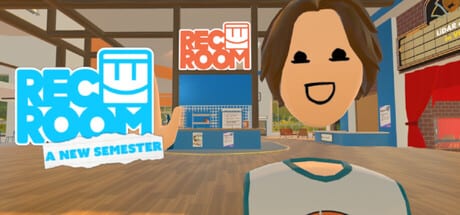
Welcome to the Guides Hub for Rec Room: A New Semester (RR:ANS) — the free Steam Early Access social sandbox from Thunderstorm Games / Bypasser. This is not Rec Room Inc.’s original title and is not affiliated with that studio. RR:ANS launches November 24, 2026 on Windows, macOS, and Linux, with PCVR support for Quest (via PC link), Valve Index, Vive, and PSVR2. Quest standalone store builds are not planned.
Use this hub as your map. Each guide below is written for day-one and Early Access players: concrete steps, realistic expectations, and links to sibling pages so you never dead-end mid-session.
Start here
New to the project? Begin with Getting Started. It walks wishlist → install → first hour: Steam setup, Rec Center orientation, friends and parties, and how Early Access will feel while systems are still shipping.
Already installed and ready to tune input? Jump to VR Controls for headset support notes, desktop fallback, customizable keybinds, and UI declutter options the team has highlighted in Steam news. For deeper remapping and HUD layouts, see Keybinds & UI.
Creation and story
RR:ANS is built around rooms, avatars, and community play. The Creator Pen guide covers room building, inventions, UGC habits that help during Early Access, the December SDK for importing rooms (avatars on request), and the planned Workshop for UI, keybinds, and story mods.
Prefer narrative over tools? Read Story Mode for how episodes unlock, how the evolving main menu mirrors progress across five visual stages (with a settings option to disable the animation), and how official activities fit beside community rooms.
Official play — RROs
Want reliable party content? Open the RROs Guide for Rec Room Original-style official activities. RR:ANS plans to include all classic RROs plus new ones. That page covers discovery tips, party habits, and how RROs sit beside story episodes and Creator Pen experiments.
Steam Achievements
Completionists should read Steam Achievements before diving into spoiler showcases. The developer posted an image-based All ACHIEVEMENTS Showcase with a spoiler warning — it is not final, and more trophies are coming. We track how to use Steam’s list without inventing unverified achievement names.
Cosmetics and redeemables
Looking for free launch gifts rather than fake promo strings? See the Codes Hub and the dedicated Winter Wonderland page for Rec Center cosmetics starting December 1 (25 days of free cosmetics), how redeemables are expected to work, and where to verify updates (Steam news and the official Discord).
How to use these guides during Early Access
Early Access means features arrive in waves. Treat every guide as a living checklist:
- Confirm the build — After each Steam update, re-skim the relevant guide section before assuming a workflow still matches launch week.
- Prefer official channels — Steam news posts from the developer, the Steam News Digest, and the Discord (
discord.gg/EBqDcGxC2q) beat random social clips when something breaks. - Report bugs with steps — Repro notes, headset model, and whether you were in desktop or VR help the Road to 1.0 more than vague “it crashed” posts.
- Cross-link your learning — Finish Getting Started, then Controls, then RROs, Creator Pen, or Story Mode depending on your play style.
- Expect polish later — Custom keybinds, UI mods, Workshop, SDK import, and extra achievements are called out as near-term or ongoing roadmap items; timing can shift.
What “good” looks like in the first week
A solid first week usually includes: launching in both desktop and VR if you own a headset, adding friends, joining a party, visiting the Rec Center, trying at least one official RRO, opening the Creator Pen in a private room, skimming the achievements list without spoiling your party, and bookmarking this wiki plus Steam news. If you care about cosmetics, mark December 1 for Winter Wonderland claims at the Rec Center.
Avatar progression uses rarity boxes from 1-Star Common through 8-Star Gaming Legends. New outfits (including higher-tier sets) are planned after launch; prototype testers have been promised free Mythic rewards such as the Galaxy Raw Data set. Details can change — always verify in-game and on Steam.
Platform and language notes
Steam lists English as the interface language. Platforms: Windows, macOS, Linux, plus PCVR. The game is free forever with no microtransactions. Steam Achievements are planned. Social pillars include friends, parties, private messaging, invites, and profiles.
Related reading on this wiki
- Getting Started — day-one path
- VR Controls — input and comfort
- Creator Pen — rooms and UGC
- Story Mode — episodes and menu stages
- RROs Guide — official activities
- Steam Achievements — trophy tracking and showcase caveats
- Codes Hub — launch cosmetics and redeemables
When a patch lands that changes controls, Creator Pen tools, RROs, or story unlocks, return here first, then open the matching child guide. That habit keeps your Early Access time focused instead of chasing outdated clips.
Frequently Asked Questions
Quick answers for Rec Room: A New Semester players.
Which guide should I read first?
Start with Getting Started for install and first-hour goals, then VR Controls if you play in headset, then RROs, Creator Pen, or Story Mode based on whether you want official activities, building, or episodes.
Is Rec Room: A New Semester the same as the original Rec Room?
No. RR:ANS is a separate Steam project by Thunderstorm Games / Bypasser and is not affiliated with Rec Room Inc. Expect familiar sandbox ideas with new systems, rarities, and a free, no-microtransaction model.
Does Early Access change these guides?
Yes. Features such as the SDK, Workshop, extra achievements, and some cosmetics ship after launch. Re-check Steam news and this hub after major updates so steps stay accurate.
Where do I get official help?
Use Steam discussions/news for the app and the official Discord. Bug reports with headset model, platform, and reproduction steps help Road to 1.0 development.
Where are RROs and achievements covered?
See the RROs Guide for official activities (classics plus new) and the Steam Achievements guide for showcase spoilers, tracking tips, and Early Access caveats.