Rec Room: A New Semester PC System Requirements
Minimum and recommended specs for Steam PCVR on Windows, macOS, and Linux.
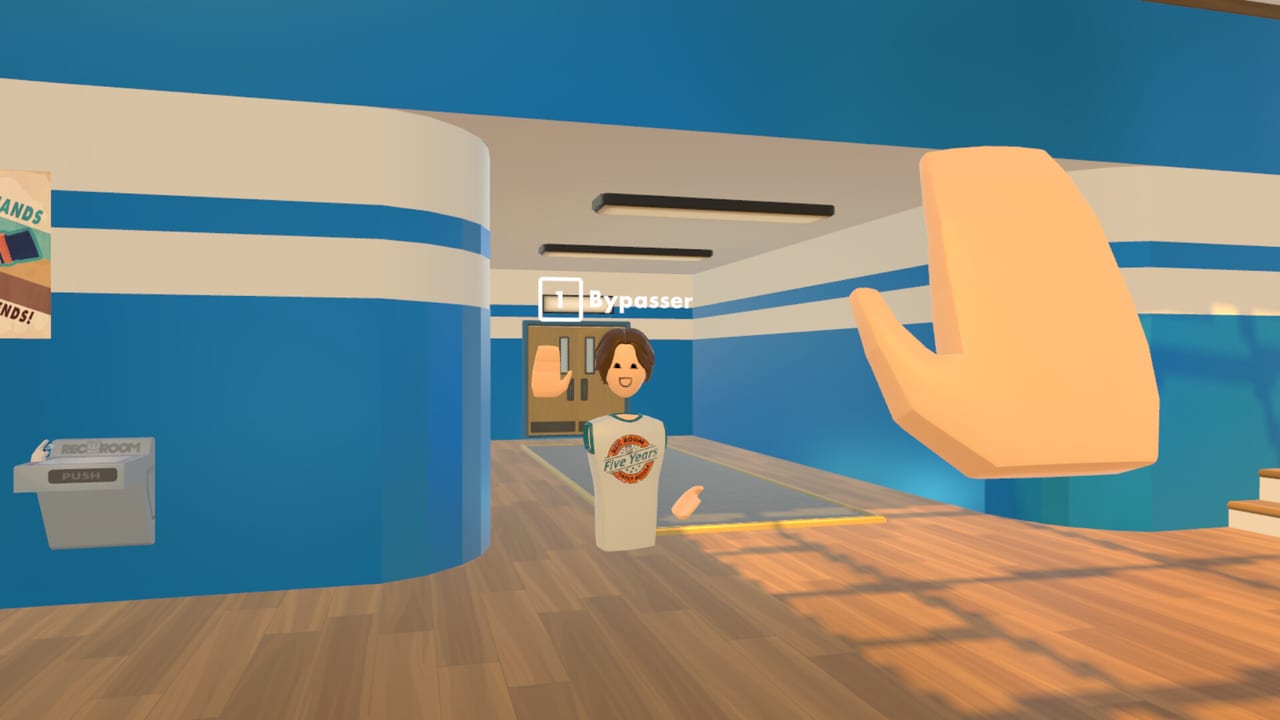
Use this page to decide whether your computer can run Rec Room: A New Semester comfortably on Steam. RR:ANS is a free forever social sandbox (no MTX) entering Early Access on November 24, 2026. It supports Windows, macOS, and Linux with PCVR. Pair these tables with the VR Headsets matrix and the parent Tools Hub.
Unofficial note: we are not affiliated with Rec Room Inc. Specs below mirror the publicly stated Steam guidance; always recheck the store page if Valve or the studio revises numbers.
Minimum requirements (Windows-focused baseline)
| Component | Minimum |
|---|---|
| OS | Windows 10 |
| Processor | Intel Core i5-4590 / AMD FX-8350 |
| Memory | 8 GB RAM |
| Graphics | NVIDIA GTX 970 / AMD Radeon R9 290 |
| DirectX | Version 11 |
| Storage | 5 GB available space |
| Network | Broadband Internet connection |
These floors target playable PCVR/social sessions, not maxed screenshots. Crowded rooms, heavy Creator Pen previews, or future SDK imports described on the Roadmap can push beyond the minimum.
Recommended requirements
| Component | Recommended |
|---|---|
| OS | Windows 10 / Windows 11 |
| Processor | Intel Core i5-11400 / AMD Ryzen 5 5600X |
| Memory | 16 GB RAM |
| Graphics | NVIDIA GTX 1650 / AMD RX 6700 XT or better |
| DirectX | Version 11 |
| Storage | SSD with 5 GB+ free |
| Network | Stable broadband (ethernet preferred for parties) |
Recommended CPUs dramatically improve background social simulation and browser-like UI hitching. 16 GB RAM leaves headroom for Discord, Steam overlays, and Chrome tabs you will inevitably leave open.
macOS and Linux notes
Steam lists macOS and Linux alongside Windows. Exact Apple Silicon vs Intel nuances and specific distro packages can shift during EA—verify the Steam hardware survey block on the store page before buying a new Mac only for RR:ANS. On Linux, plan time for SteamVR / OpenXR runtime setup; community Proton or native paths may differ by headset.
Regardless of OS:
- Keep GPU drivers current.
- Reserve SSD free space beyond the 5 GB install for caches and future SDK samples.
- Prefer wired networking when hosting friends from the Players Hub checklist.
VR performance interpretation
A GTX 970-class card can enter VR, yet modern reprojection tricks only go so far in busy social hubs. If you sit near minimum GPU:
- Lower SteamVR supersampling toward 100% or below.
- Cap optional effects inside RR:ANS when settings appear.
- Avoid stacking recording overlays on day one.
- Meet friends in smaller rooms before festival-scale lobbies.
- Re-test after patches listed under Updates.
Owners of GTX 1650 / RX 6700 XT-class GPUs should still monitor frametimes when Creator Pen Boolean-heavy scenes or imported SDK assets arrive in December.
CPU, RAM, and background load
Social sandboxes tax CPUs with networking, voice, and many animated avatars. The jump from FX-8350 / i5-4590 to i5-11400 / 5600X is about consistency, not only peak FPS. Close spare Electron apps before launch-night parties. If you stream, dedicate a second PC when possible so encoding does not steal GPU cycles from SteamVR.
8 GB RAM is the published minimum; treat 16 GB as the real comfort zone once Discord, Steam, and a browser guide tab (this wiki) coexist.
Storage and install hygiene
Five gigabytes is small by 2026 standards, but VR titles accumulate shader caches. Install on an SSD. After major EA patches—especially around Winter Wonderland and SDK drops—run Steam’s verify integrity only if you see repeated hitching or missing cosmetics referenced in the Cosmetics Guide.
Network requirements
Broadband is mandatory for the online social loop. Soft requirements that help parties:
- Prefer ethernet over unstable Wi-Fi for host machines.
- QoS-prioritize the gaming PC if family streaming saturates uploads.
- Keep Discord as backup voice if in-game voice congests on launch weekend—see Launch Guide.
Mapping specs to player goals
| Goal | Spec advice |
|---|---|
| Try EA once on desktop | Meet minimum; expect settings tweaks |
| Daily VR social play | Aim recommended CPU/GPU/RAM |
| Creator Pen + future SDK imports | Recommended CPU + SSD strongly advised |
| Hosting large friend groups | Recommended GPU + ethernet |
| Cosmetic grinding in December | Stable frametimes > ultra settings |
Creators should also read Creator Pen so tooling expectations match machine limits. Story-focused players can follow Story Mode after the client is smooth.
Pre-flight checklist (print-friendly)
- OS updated (Win10/11, current macOS, or supported Linux).
- GPU driver installed from the vendor site.
- SteamVR (or OS-appropriate runtime) launches a compositor bip.
- 5 GB+ free on SSD; page file not disabled on Windows.
- Headset path validated on VR Headsets.
- Friends confirmed on Players plan.
- Wishlist/launch reminders set per Launch Guide.
- Bookmark Getting Started for first-hour flow.
Upgrading on a budget
If you fail one column only:
- GPU bound: prioritize a used card above GTX 970 / R9 290 before a cosmetic CPU bump.
- RAM bound: 8→16 GB kits usually beat marginal GPU swaps for social multitasking.
- CPU bound: 5600X / i5-11400-class refreshes help avatar-dense rooms.
- Storage bound: cheapest win—move Steam library to any SSD.
Do not buy Quest standalone accessories expecting a native RR:ANS store app; PCVR link hardware is the path.
After you pass the tables
Return to the Tools Hub, configure comfort options in VR Controls, then start the Getting Started routine. Keep Roadmap handy so December SDK tests do not surprise your disk or CPU. When official codes appear, redeem them on a stable build—not while diagnosing under-spec crashes.
Bottom line
Meet minimum to enter; target recommended to enjoy parties, creation, and seasonal cosmetics without fighting the hardware. Revalidate after big EA patches, and remember RR:ANS remains a free PCVR Steam title—spend upgrade money on comfort and reliability, not pay-to-win shortcuts that do not exist here.
Frequently Asked Questions
Quick answers for Rec Room: A New Semester players.
What is the minimum GPU for Rec Room: A New Semester?
NVIDIA GTX 970 or AMD Radeon R9 290 class with DirectX 11 support, per published Steam minimums.
How much RAM do I need?
8 GB is the minimum; 16 GB is recommended for smoother multitasking with Discord and overlays.
Is 5 GB storage enough long term?
It covers the base install, but keep extra SSD space for caches, patches, and future SDK content.
Do macOS and Linux use the same numbers?
Steam lists those platforms; treat the Windows tables as the clearest published baseline and confirm OS-specific notes on the store page.
Can a strong PC replace a VR headset?
A strong PC runs the client, but PCVR features still need a compatible headset path. See the VR Headsets guide.