Rec Room: A New Semester Early Access Launch Guide
Release date, wishlist prep, day-one priorities, and realistic first-session goals.
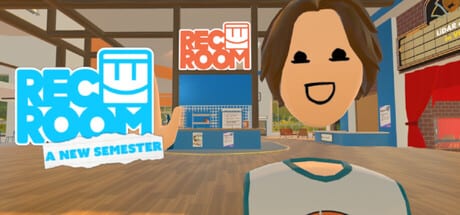
Rec Room: A New Semester (RR:ANS) is scheduled to enter Steam Early Access on November 24, 2026. This launch guide explains how to prepare before that date, what a sensible day-one session looks like, and which wiki pages to open once the client downloads. It is written for Steam PCVR players on Windows, macOS, or Linux. Quest standalone is not supported—use a PC-tethered path if you own a Quest headset.
This page is unofficial. RR:ANS is by Thunderstorm Games / Bypasser (published with Team - VR). We are not affiliated with Rec Room Inc. Always double-check the Steam store listing for the live release clock.
Wishlist and store prep
- Open the Steam app page and hit Wishlist so launch reminders fire.
- Follow the game and enable notifications for news posts.
- Confirm free install eligibility—RR:ANS is free forever with no microtransactions.
- Join the community Discord for queue chatter and hotfix pings.
- Bookmark this wiki’s Updates Hub, Getting Started, and System Requirements.
Wishlisting early also helps you spot delayed build windows. If Steam shifts the EA clock by a few hours, Discord and the store news feed usually surface it first.
Hardware checklist before November 24
Compare your rig to the System Requirements tables. Minimum guidance centers on Windows 10, CPU in the i5-4590 / FX-8350 class, 8 GB RAM, GTX 970 / R9 290, DirectX 11, about 5 GB storage, and broadband. Recommended builds step up to Windows 10/11, i5-11400 / Ryzen 5 5600X, 16 GB RAM, and GTX 1650 / RX 6700 XT or better.
VR players should verify headset paths on the VR Headsets page: Index, Vive family, PSVR2 (PC), and Quest via PC are the intended routes. Update GPU drivers, SteamVR, and any vendor runtime a day before launch so you are not debugging firmware while friends are already in rooms.
What day one is actually for
Day one is a social sandbox first impression—not a finished MMO season. Expect rooms, avatar customization, friends and party flows, Creator Pen experimentation, RRO-style experiences, and early story mode beats as available in the EA build. Workshop and deeper SDK import workflows are called out later on the Roadmap (December SDK target for room/avatar import).
A healthy first session:
- Create and save an avatar you like—see rarity context later in Tier List.
- Walk a starter lobby / Rec Center style space and learn movement with VR Controls.
- Add friends and form a small party—habits covered in the Players Hub.
- Visit a few public rooms and note which genres you enjoy.
- Open Creator Pen for ten minutes so the tool does not feel alien on day two—deeper notes in Creator Pen.
- Peek at story mode if it is unlocked in your build—overview in Story Mode.
Do not chase fake promo codes on launch morning. The Codes hub only lists verified entries; inventing codes wastes time and risks phishing sites.
Trailer context
The embedded pre-alpha trailer above shows the tone the team is aiming for: playful social spaces, avatar expression, and creation energy. Treat trailer footage as directional. EA builds can look simpler, hitch more, or rearrange UI. Use the trailer to set vibe expectations, then rely on patch notes for truth.
Friends, parties, and etiquette on launch night
Servers may hitch when lots of wishlists convert into concurrent players. Keep parties small, agree on a meeting room name, and use Discord as backup voice if in-game voice congests. The Players Hub expands on profiles, invites, and social tips that reduce launch-night frustration.
If a friend cannot join because of headset mismatch, send them the VR Headsets matrix and the flat-screen vs PCVR clarification: everyone needs a Steam PC client; Quest users must stream from PC.
Cosmetics and Winter Wonderland timing
Launch week is about systems. Cosmetics accelerate from December 1 with Winter Wonderland planned across 25 days. Collectors should skim the Cosmetics Guide so they know rarity language (1★ Common through 8★ Gaming Legends, including examples like Visitors Helmet at Gaming Legends) before event UI appears. Because there is no MTX shop pressure, participation is about showing up daily—not spending.
Day-one pitfalls to avoid
- Installing on an unsupported Quest standalone path and wondering why the store will not launch natively on-headset.
- Skipping driver updates, then blaming the game for SteamVR black screens.
- Burning the first evening only AFK in a crowded hub instead of learning Creator Pen or story beats.
- Trusting random “RR:ANS code generators.”
- Assuming every Rec Room Inc. feature exists one-to-one—this is a separate Steam title with its own roadmap.
After the first session
Write down what felt rough (locomotion, UI, performance) and check whether the Roadmap already lists a fix window. Revisit Guides for structured learning, keep Links handy for official channels, and return to the Updates Hub whenever Steam drops a news post.
If performance is the blocker, re-test with recommended settings from System Requirements, lower SteamVR resolution, and close overlay-heavy software. If creation is the hook, schedule a second session focused only on Creator Pen before December’s SDK notes land.
Launch week reading list
- Getting Started — first-hour orientation.
- VR Controls — bindings and comfort options.
- Roadmap — EA length, SDK, Workshop, cosmetics.
- Players — friends and party habits.
- Tier List / Cosmetics Guide — rarity framing for event drops.
Closing expectations
November 24, 2026 opens a free Early Access sandbox meant to grow for roughly two years. Day one success means: client installs cleanly, friends can meet, you understand movement, and you know where official news lives. Everything else—SDK imports, denser story chapters, Workshop sharing, seasonal cosmetics—arrives on the roadmap cadence. Prep your PC, wishlist now, and use this guide as the checklist taped next to your headset.
Frequently Asked Questions
Quick answers for Rec Room: A New Semester players.
What is the Rec Room: A New Semester release date?
Steam Early Access is planned for November 24, 2026. Verify the countdown on the official Steam page before launch day.
Is the game free at launch?
Yes. RR:ANS is free forever with no microtransactions according to the stated positioning.
Can I play on Quest without a PC?
No. Quest standalone is not supported. Quest headsets work through PC VR streaming/link workflows only.
What should I do first after installing?
Create an avatar, test movement, add friends, visit a few rooms, then try Creator Pen briefly. Follow the Getting Started guide for a fuller checklist.
Will there be codes on day one?
Only redeem codes listed after official confirmation. This wiki will not invent codes; check the Codes hub when real drops exist.