Rec Room: A New Semester Keybinds & UI Customization
Remap controls, rearrange or hide HUD elements, and prepare for Workshop UI packs during Early Access.
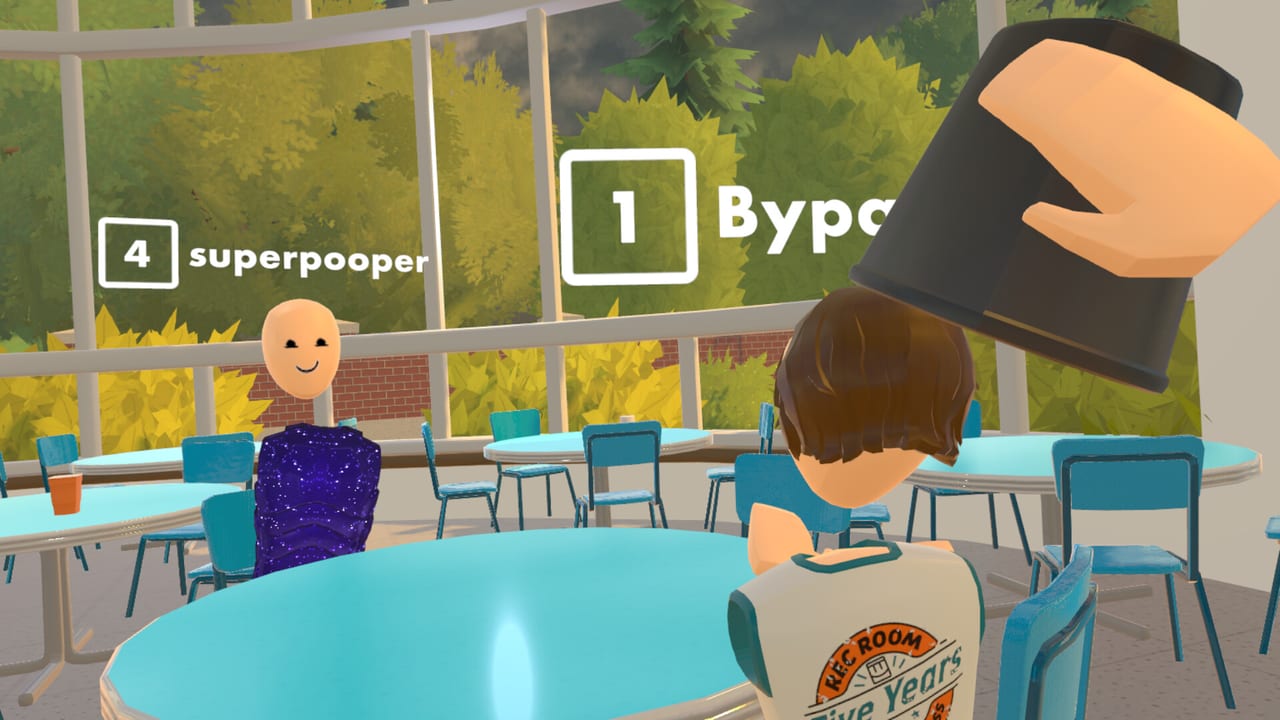
Custom keybinds and a decluttered UI are first-class comfort features for Rec Room: A New Semester (RR:ANS). Social VR sessions fail when menus fight your hands, desktop players inherit awkward defaults, or crowded Rec Center nights bury the one button you need. This tools page explains how to think about remapping, rearranging or hiding HUD pieces, using dark / low-clutter layouts, and what the planned Workshop means for community UI packs. RR:ANS is free Steam Early Access from Thunderstorm Games / Bypasser (November 24, 2026), not affiliated with Rec Room Inc.
Hardware first? Confirm System Requirements and VR Headsets. Movement comfort detail lives in VR Controls. Creation tooling context sits on Creator Pen and the Roadmap.
Why keybinds and UI matter in a social sandbox
RR:ANS mixes:
- Desktop keyboard/mouse players.
- PCVR controllers across Quest-via-PC, Index, Vive, PSVR2, and other SteamVR-class HMDs.
- Rooms that script their own prompts (RROs, story beats, UGC).
One binding set rarely fits all three. The studio has highlighted customizable keybinds and the ability to hide or rearrange UI so you can reduce clutter — especially useful when trailers and Dark Mode UI tests (see the embedded Bypasser UI experiment video) show denser creator chrome than a pure lobby HUD.
Remapping workflow (Early Access habits)
Exact settings labels will iterate, but a durable process looks like this:
- Launch once in desktop mode to find the controls / keybinds panel without a headset strap in the way.
- Photograph or note defaults before changing anything — EA patches can reset rows.
- Remap high-frequency actions first: menu/watch, jump/climb equivalents, grab/use, push-to-talk if separate, and turn modes.
- Switch to VR and test in an empty private room before a public RRO.
- Re-test after each major client update listed on the Updates Hub or Steam News Digest.
If a room script suppresses your watch, keep the force-open habit from VR Controls (watch button / TAB on desktop). Custom binds should never remove that safety reflex.
Rearrange and hide UI — practical rules
Decluttering is not the same as disabling every tutorial:
| Goal | Do this | Avoid this |
|---|---|---|
| Cleaner social lobbies | Hide rarely used creator widgets | Hiding leave / safety menus |
| Creator focus | Pin tool palettes you actually use | Overlapping panels that block grabs |
| Motion comfort | Reduce animated chrome near the edges | Covering chaperone / guardian cues |
| Party hosting | Keep nameplates / party UI readable | Minimal HUDs that hide invites |
| Dark rooms | Prefer darker UI themes when available | Pure black overlays that hide friends |
Dark Mode style experiments from the developer show direction: readable contrast, less visual noise, still functional. Your personal layout should survive a bright Winter Wonderland Rec Center and a dim story beat alike.
Comfort pairing — binds + locomotion
Keybinds only help if locomotion matches your stomach:
- Snap turn vs smooth turn bindings should be obvious under stress.
- Teleport / dash alternatives need reachable buttons when vignette is on.
- Seated play may want different jump or crouch access than standing room-scale.
- Desktop fallback binds matter when VR runtime crashes mid-party.
Read VR Controls for headset-specific notes, then return here to lock the keyboard equivalents your flat-screen friends will ask about.
Workshop UI packs and keybind shares (planned)
The longer Early Access plan includes a Workshop for community UIs, keybinds, and story mode mods. Until that ships:
- Share screenshots of your layout in the official Discord (
discord.gg/EBqDcGxC2q) instead of shipping random.cfgfiles from strangers. - Prefer describing binds in text (“Watch = TAB, Grab = E”) so Index and Quest friends can adapt.
- When Workshop UI packs arrive, treat them like cosmetics for chrome — preview in a private room, then take them into public spaces.
- Never install “UI unlocker” EXE tools from fake mirror sites; RR:ANS is free on Steam and does not need cracks (Steam News Digest safety notes).
Creators building custom HUDs for rooms should also watch the December SDK (room import; avatars by request) on the Roadmap and practice readable prompts inside Creator Pen today.
Suggested bind profiles
You do not need fancy names — you need intent:
Social / Rec Center profile
- Easy party invite and mute.
- Watch/menu on a muscle-memory key.
- Minimal creator chrome visible.
RRO competitive profile
- Grab/use and movement on conflict-free buttons.
- Quick scoreboard or objectives if the UI allows.
- Hide decorative widgets that steal FOV.
Creator Pen profile
- Tool hotkeys reachable without dropping the pen metaphor.
- Undo / delete protected from accidental grips.
- Optional denser panels — you are building, not dancing.
Story night profile
- Comfort locomotion prioritized.
- UI calm enough that cinematic beats stay readable.
- Remember you can disable the evolving main menu animation in settings if the five-stage void-to-field presentation is too much between episodes (Story Mode).
Troubleshooting
| Symptom | Likely cause | Fix |
|---|---|---|
| Bind works on desktop, not in VR | Controller profile not saved | Rebind in VR; verify SteamVR bindings |
| UI missing after patch | Layout reset | Restore defaults, then reapply |
| Cannot open watch in a room | Script conflict | Force-open watch; leave instance |
| Friends say your shared layout is “broken” | Different HMD | Translate by action name, not raw keys |
| Overlay covers RR:ANS HUD | Steam/Discord overlap | Disable one overlay |
First-hour customization checklist
- Find keybinds + UI visibility panels.
- Save defaults.
- Set watch/menu and grab/use.
- Hide one non-essential widget and confirm you can restore it.
- Test in a private room, then one public lobby.
- Bookmark this page and VR Controls for patch days.
- Skim Workshop / SDK notes on the Roadmap so you know when shareable packs are realistic.
Related reading
- Tools Hub — hardware and utility index
- VR Controls — locomotion and headset comfort
- VR Headsets — PCVR compatibility
- Creator Pen — build rooms that respect guest HUDs
- Roadmap — Workshop UI / keybind mods + December SDK
- Getting Started — day-one orientation
Custom keybinds and a calmer UI will not clear story episodes for you, but they will keep you in the session long enough to enjoy RROs, Winter Wonderland crowds, and Creator Pen nights. Set your binds early, hide the chrome you do not need, and let Workshop packs — when they arrive — be optional flair rather than a dependency.
Frequently Asked Questions
Quick answers for Rec Room: A New Semester players.
Can I remap controls in Rec Room: A New Semester?
Yes. Customizable keybinds are a highlighted feature. Set them in the controls settings, test in a private room, and re-check after major Early Access patches.
Can I hide or rearrange the UI?
The team has called out the ability to hide or rearrange UI elements to reduce clutter. Keep safety and leave/menu access available when decluttering.
Will there be community UI packs?
A Workshop is planned that includes community UIs and keybind shares, alongside story mods. Until it ships, share layouts carefully via official channels.
Does Dark Mode matter for gameplay?
Darker, lower-clutter UI experiments improve readability in some spaces. Treat themes as comfort options — verify contrast in both bright lobbies and dark story rooms.
Where do I go for VR movement comfort?
Use the VR Controls guide for locomotion and comfort toggles, and the VR Headsets page for hardware paths. This page focuses on binds and HUD customization.