Rec Room: A New Semester VR & Desktop Controls
Supported headsets, customizable keybinds, UI declutter, and comfort settings for RR:ANS.
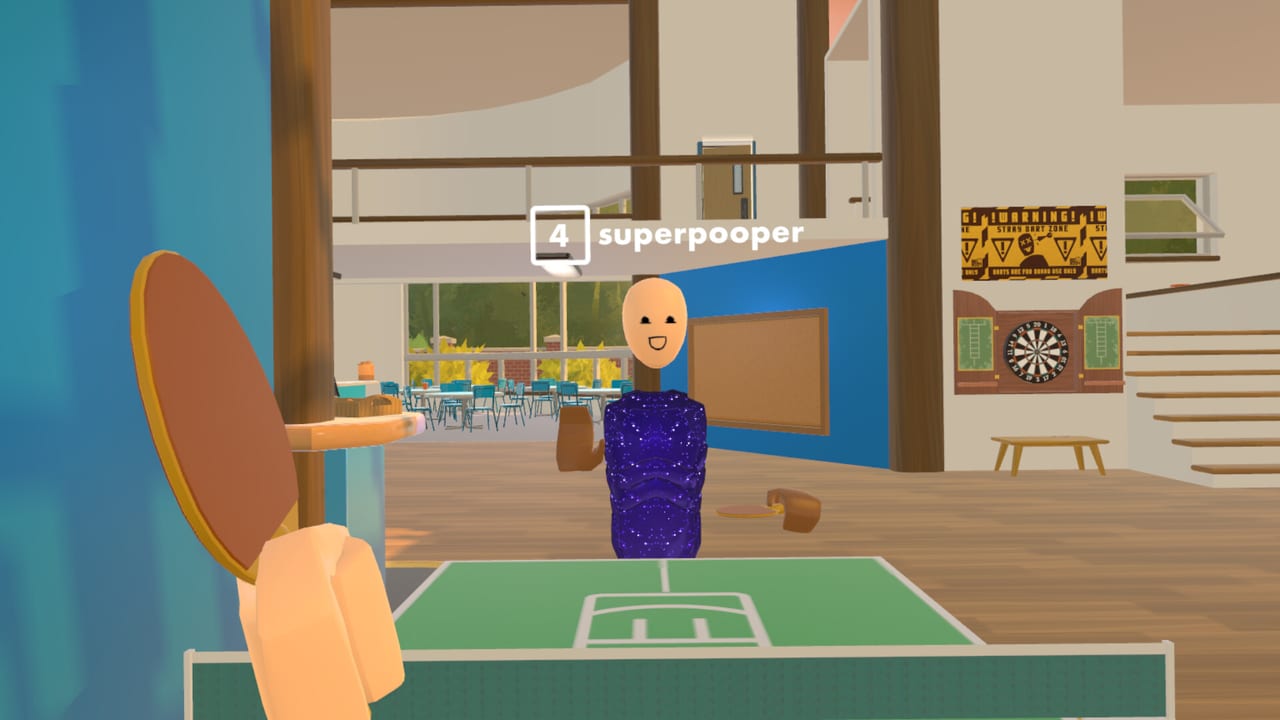
Input comfort decides whether Rec Room: A New Semester (RR:ANS) feels like a hangout or a headache. This guide covers PCVR headset support, desktop fallback, customizable keybinds, UI declutter options, and practical Early Access habits. RR:ANS is a free Steam title from Thunderstorm Games / Bypasser — not affiliated with Rec Room Inc. — launching Early Access on November 24, 2026.
If you have not installed yet, finish Getting Started first, then return here before long VR sessions.
Supported headsets (PCVR focus)
Official Steam news emphasizes PC-tethered VR, not Quest standalone:
| Headset path | Notes |
|---|---|
| Meta Quest 2 / 3 (PC link) | Supported via PCVR with controller bindings. Not on the Quest standalone store. |
| Valve Index | Supported with controller bindings. |
| HTC Vive | Supported; some features may be limited — report issues. |
| PSVR2 | Supported through PC with the correct adapter/software path. |
| PSVR1 | Limited; needs extra third-party software. |
| Steam Frame (roadmap) | Planned to run more natively later; eye-tracking visibility called out as optional. |
Always keep GPU drivers, SteamVR (or your OpenXR runtime), and headset firmware current before blaming the game build.
Desktop / keyboard & mouse
You can play without a headset. Desktop mode is useful for:
- Friends, parties, invites, and profile management
- Creator Pen layout work when precise mouse selection is easier
- Troubleshooting after a VR crash
- Long typing in messages or room descriptions
Learn the watch / menu shortcut early. Community and developer notes highlight holding the watch control — TAB on desktop, or the top-left button on the left controller in VR — to force the watch UI even if a room script tries to suppress it. That safeguard matters in experimental UGC.
Customizable keybinds and UI
A major RR:ANS differentiator is player-facing customization:
- Remap keybinds so locomotion, grab, and menu actions match your muscle memory from other social VR titles.
- Change or remove UI elements to clear clutter during combat RROs or cinematic story beats.
- Expect deeper Workshop mods later for UI packs and keybind profiles shared by the community.
- Creators may expose custom tools; keep the forced-watch habit so you always have an escape hatch.
During Early Access, re-check bindings after every major patch. Remaps can reset or conflict when new actions ship.
Suggested first-session binding pass
- Open settings before joining a public lobby.
- Bind turn (snap vs smooth), jump/climb equivalents, and grab/use to controls you already trust.
- Confirm mute / push-to-talk if voice is critical for your party.
- Hide non-essential HUD widgets once you know where the watch lives.
- Save a screenshot of your binding screen so you can restore after a patch.
Comfort and session hygiene
Social sandboxes invite long sessions. Reduce discomfort:
- Start with snap turn if you are VR-sensitive; switch to smooth only after you trust the locomotion.
- Use a comfort vignette during fast movement in parkour or paintball-style RROs.
- Take a five-minute break every 45–60 minutes; desktop mode is fine for chat between VR bursts.
- Calibrate floor height and guardian/boundary before Creator Pen builds that involve ducking or climbing.
- If world scale feels off, re-run SteamVR room setup rather than fighting in-game alone.
Controllers, hands, and social cues
RR:ANS leans on familiar social VR body language: waves, pointing, and item handoffs in rooms. Practical tips:
- Keep a clear grab/release binding; accidental throws start more arguments than bad aim.
- Learn how to drop or holster props before entering story checkpoints or timed RROs.
- Party up before teleporting so friends share the same instance.
- Use private messaging when voice lobbies get noisy — the social stack includes friends, parties, invites, and profiles for a reason.
Optional eye-tracking gaze visibility (for supported hardware later) should stay opt-in out of courtesy; never assume everyone wants gaze shared.
Creator Pen and controls overlap
Building rooms stresses input differently than combat. When you open the Creator Pen:
- Prefer desktop for dense circuit/object placement if your VR laser precision fatigues quickly.
- In VR, slow your move speed and use private rooms so testing does not grief public lobbies.
- Remap tool hotkeys after you learn which Creator Pen actions you spam most.
- Remember December SDK import and Workshop customization are roadmap items — practice with shipped tools first.
Troubleshooting checklist
| Symptom | Try this |
|---|---|
| Black screen in VR | Launch desktop first, then use SteamVR “Play” path; verify OpenXR runtime. |
| Controllers unbound | Re-open binding menu; reset to defaults; check SteamVR per-game bindings. |
| UI missing | Force watch with TAB / left-controller shortcut; leave the room if scripts misbehave. |
| Quest link stutter | Lower SteamVR resolution scale; use wired link for first-hour stability tests. |
| Vive feature gaps | Note the missing feature + headset model on Discord/Steam for the team. |
Related guides
- Getting Started — install and first hour
- Creator Pen — building with remapped tools
- Story Mode — episode play in VR or desktop
- Guides Hub — full tutorial index
- Codes Hub — Rec Center cosmetics after you are comfortable moving
Master controls before chasing cosmetics or long story sessions. Stable input is the difference between recommending RR:ANS to friends and rage-quitting Early Access week one.
Frequently Asked Questions
Quick answers for Rec Room: A New Semester players.
Does Rec Room: A New Semester support Quest standalone?
No. Quest headsets are supported through PCVR (PC link). There is no Meta Quest standalone store release.
Can I remap controls?
Yes. RR:ANS is designed to let you customize keybinds and adjust or remove UI elements. Re-check bindings after major Early Access patches.
What if a room hides my watch or menu?
Force the watch UI with the dedicated shortcut (TAB on desktop or the left-controller watch button in VR). That safeguard is meant to override player-made hide events.
Is desktop play fully supported?
Desktop/keyboard-mouse is a first-class way to socialize, manage friends, and build. Many players mix desktop menus with VR sessions.
Which headset should I report bugs for?
Include exact model (Index, Quest 3 via link, Vive, PSVR2, etc.), runtime (SteamVR/OpenXR), and whether the issue happens in desktop mode too.